
Introduction
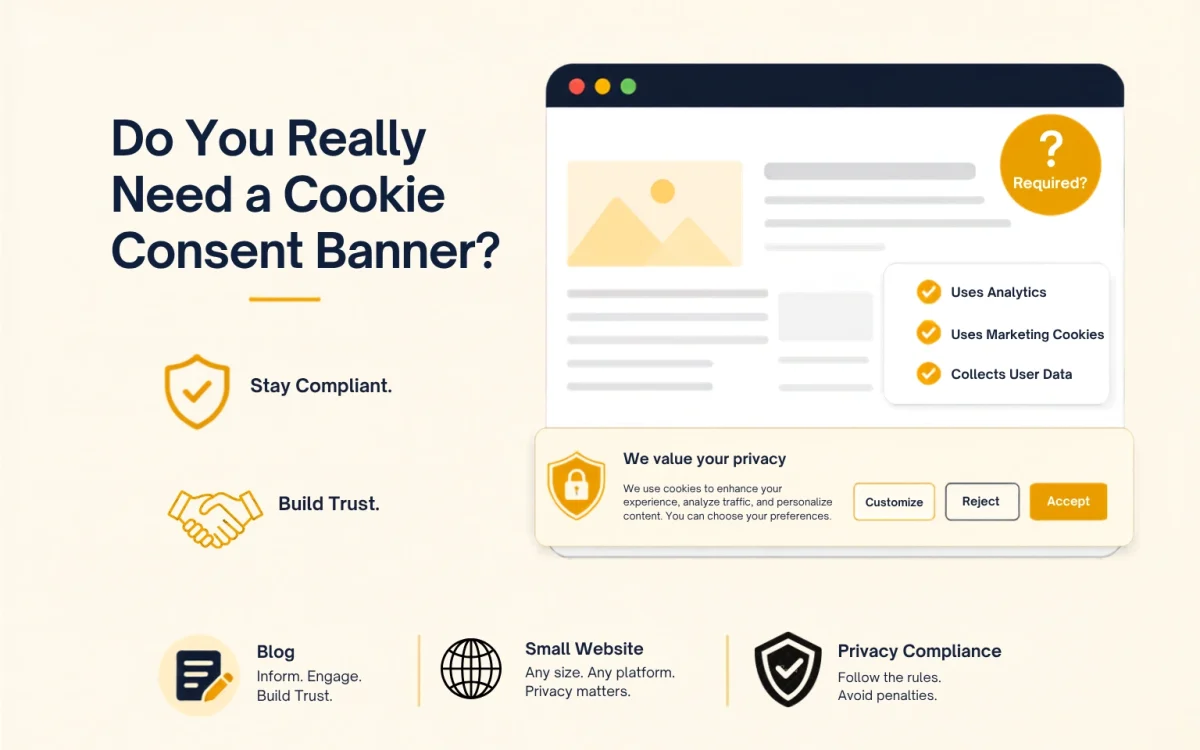
When you are building your first website, one question usually comes up sooner or later: “Do I really need a cookie consent banner?” Many people think cookie banners are only something big companies need, but that’s far from the reality. Whether your website needs one depends on the tools you use, the countries your visitors come from, and the type of data your site collects. Understanding these factors early can save you time and help you avoid compliance issues as your website grows.
Do You Need a Cookie Consent Banner for Your Website?
For many blogs and small business websites, the answer is yes.
If your website uses tools such as Google Analytics, Google AdSense, Meta Pixel, YouTube embeds, live chat software, or email marketing platforms, your visitors may receive cookies that aren’t strictly necessary for the website to function. If people from regions like the European Union, the United Kingdom, or other privacy regulated countries visit your website, you’ll likely need a cookie consent banner before those cookies are activated.
The size of your website doesn’t determine whether consent is required. What matters is how your website collects or processes visitor data and which privacy laws apply to your audience.
Before choosing a solution, it’s worth understanding why cookie consent exists and what your website is expected to do.
What Does a Cookie Consent Banner Actually Do?
If you’ve ever visited a website and seen a banner popup asking whether you’d like to accept cookies, you might have wondered what it’s actually doing. Is it just another annoying notification, or does it serve a real purpose?
The short answer is that a cookie consent banner helps websites give visitors control over how their data is collected. It isn’t there simply because every website has one. In many cases, it’s a legal requirement, and in every case, it’s an opportunity to be transparent about how your website uses cookies.
Not Every Cookie Needs Permission
One of the biggest misconceptions is that every cookie requires consent.
That’s simply not true.
Some cookies are considered essential because a website cannot function properly without them.
These include cookies that:
- Keep users logged into their accounts.
- Remember items in an online shopping cart.
- Maintain security during a browsing session.
- Save accessibility or language preferences.
Because these cookies are necessary to deliver the service a visitor requested, they generally don’t require consent.
The situation changes with cookies used for analytics, advertising, personalization, or cross-site tracking.
These cookies aren’t essential for the website to work, which is why many privacy laws require visitors to decide whether they want them enabled.
Which Privacy Laws Require Cookie Consent?
Whether you need a cookie consent banner often depends less on where your business is located and more on where your visitors are browsing from.
Privacy regulations are written to protect individuals, not businesses in a particular country.
GDPR
If your website receives visitors from countries in the European Union or the United Kingdom, the General Data Protection Regulation (GDPR) may apply.
Under GDPR, websites generally need permission before placing non-essential cookies on a visitor’s device.
Visitors must also be able to change their minds later just as easily as they gave permission in the first place.
The ePrivacy Directive
Alongside GDPR sits the ePrivacy Directive, often referred to as the Cookie Law.
While GDPR focuses on personal data more broadly, the ePrivacy Directive specifically deals with cookies and similar tracking technologies.
Together, they form the foundation of cookie consent requirements across much of Europe.
California Privacy Laws
California follows a slightly different model.
Rather than requiring consent before every tracking activity, laws such as the CCPA and CPRA focus on transparency and consumer choice.
Businesses must clearly explain what information they collect and, where required, provide a simple way for people to opt out of the sale or sharing of their personal information.
Other Countries
Privacy legislation is expanding around the world.
Countries including Brazil, Canada, South Africa, Australia, and several U.S. states have introduced or updated privacy laws that place greater emphasis on transparency and user choice.
Although the legal details differ, the overall direction is the same: people should understand how their information is collected and have meaningful control over it.
A Practical Checklist for Your Own Site
Rather than guessing, run through these questions honestly:
- Are you running Google Analytics, Meta Pixel, or anything similar? These almost always count as non-essential tracking, which means consent is required for EU/UK visitors.
- Do you monetize with ads? Ad networks live and die on cookies for targeting. If you’re running AdSense or a comparable network, consent is expected.
- Do you have an email opt-in form tied to a marketing platform? Many of these tools drop their own tracking cookies behind the scenes to check the provider’s documentation rather than assuming.
- Is your site genuinely just static content with no third-party embeds, ads, or trackers? In that narrow case, you may be fine without an active consent mechanism, though you’ll still want to disclose any strictly necessary cookies in a privacy policy.
For most people reading this, at least one of the first three applies which puts you in “yes, set up a consent banner” territory.
What Ignoring It Actually Costs You
For a blog, the odds of a headline engaging fine are low. There are two important facts to keep in mind: enforcement against smaller sites has been picking up as regulators broaden their focus, and the reputational cost of not being transparent is rising independently of legal risk. Visitors increasingly notice when a site is upfront about data collection, and it does something for trust that a hidden tracking script never will.
What Actually Makes a Banner Compliant
A lot of banners technically exist but don’t meet the legal bar. To actually satisfy GDPR-style requirements, yours needs to:
- Clearly state that your site uses cookies and roughly what for
- Offer a genuine choice to accept or reject non essential cookies not just an “OK” button
- Let visitors adjust preferences by category rather than all-or-nothing
- Link out to a full cookie policy or privacy policy
- Leave every non-essential box unchecked by default
- Make withdrawing consent later just as easy as giving it
A banner that just says “we use cookies” with a single “Accept” button doesn’t meet this standard; there’s no real choice being offered.
A Simple Rollout Plan
| 1.Audit your site. List every plugin, script, and embed that could be setting a cookie analytics, ads, chat widgets, video embeds, all of it. |
| 2.Check where your traffic comes from. Your analytics dashboard will tell you. If a meaningful slice is EU, UK, or California, treat compliance as non-optional. |
| 3.Pick a consent tool that fits your platform and budget. |
| 4.Update your privacy policy so it actually reflects what’s running on your site. |
| 5.Test it properly. Confirm cookies are blocked until someone consents not just visually hidden behind the popup. |
Conclusion
There’s no single rule that says every blog needs a cookie banner. But in practice, once you factor in analytics, ads, and embedded content which describes nearly every active blog or small business site the safe assumption is that you probably need one if you get any traffic from regulated regions. Setting it up properly takes an hour or two. Skipping it and hoping nobody notices is the harder path in the long run, as enforcement keeps tightening.
Frequently Asked Questions
If your website uses tools that track visitors, such as analytics, advertising, or marketing services, you should have a cookie consent banner.
You might. Privacy rules are based on the data your website collects, not on how many pages or visitors you have.
Tools like Google Analytics, Google Ads, Meta Pixel, embedded videos, live chat, and email marketing services commonly use cookies.
They should be able to choose whether to accept or decline non-essential cookies and change that choice later if they want.
It helps you respect your visitors’ privacy, meet legal requirements where they apply, and be clear about how your website uses cookies.
