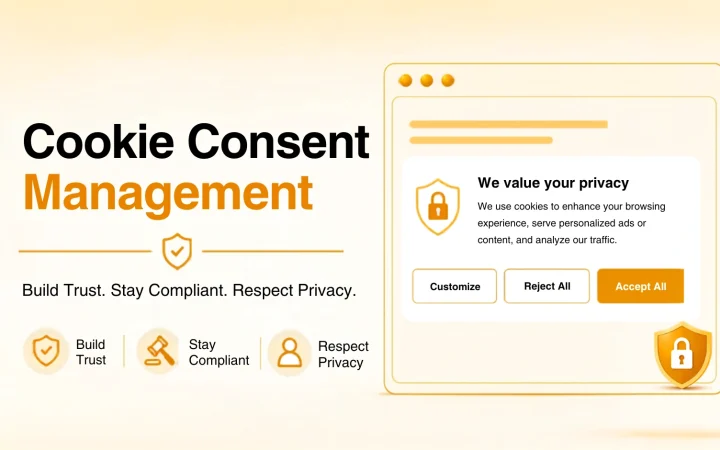

A CMP (consent management platform) will help you gather, manage, and enforce the users’ consent with regard to cookies and tracking on your website.
In case your website uses Google Analytics, Google Ads, Meta Pixel, advertising cookies, or other third-party cookies, a CMP is not just about displaying a cookie banner. It may be used to block non-essential cookies prior to consent, remember user consent, and send consent signals to the tools that are installed on your website.
This is the part where most website owners fall short.
What Is a Consent Management Platform?
The consent management platform is the software that manages consent collection, recording, and application on your website.
You may want to see a CMP as a bridge between your website and tracking mechanisms.
Upon visiting your website, the CMP will display choices to users that are available. Once users reject analytics or marketing cookies, you would have to block those third-party scripts from running. On the other hand, consent will enable the respective technology to operate on the website.
CMP may also store the data about choices users have made and time frames at which the consent was obtained.
What Does a Consent Management Platform Actually Do?
A good consent management platform typically does four major things.
- Shows a clear consent banner
It should be easy for the visitor to see what they’re consenting to and what options they have.
A good banner doesn’t hide the Reject button or force the visitor to go through several pages to reject cookies.
- Blocks non-essential cookies until consent
This is one of the major differences between a CMP and a simple cookie notice.
If the visitor hasn’t accepted analytics or marketing cookies, these cookies and scripts shouldn’t load in the background.
The CMP should control the use of these technologies.
- Logs the visitor’s decision
A consent management platform can save data about the visitor’s decision and even when it was made.
It helps you keep a record of the consent collected if you ever need it.
- Communicates consent to other services
The CMP also needs to communicate the visitor’s choice to the services that work with your website.
For websites that use Google’s services for advertising and measurement, it means Google Consent Mode v2 with the following signals:
ad_storage
analytics_storage
ad_user_data
ad_personalization
It is here that the CMP becomes much more than just a cookie pop-up.
Cookie Banner vs Consent Management Platform
These two concepts are used interchangeably at times, although they are different.
A basic cookie banner will display a message and allow the visitor to accept the message. However, a consent management platform takes the matter a step further.
| Feature | Simple Cookie Banner | Consent Management Platform |
|---|---|---|
| Provides consent options | Yes | Yes |
| Restricts non-essential cookies | Sometimes | Yes |
| Provides category-level consent | Limited | Yes |
| Records consents | Often limited | Yes |
| Google Consent Mode v2 | Manual configuration needed | Supported |
| Cookie scanning | Limited | Supported |
| Multiple languages | Limited | Supported |
| Location-based rules | Limited | Common |
| Withdrawal of consent | Basic | Usually supported |
It makes a difference.
Take the example where you place a cookie banner, but Google Analytics starts tracking data even before the visitor interacts with the website. The banner is there, but it doesn’t control the tracker.
This is what a proper consent management platform aims to address.
Why Do You Need a Consent Management Platform?
Every website will not require the same type of consent management system.
In case of a simple personal website that uses only the essential cookies, things can remain easy. However, when you have analytics, advertising, embedded services, pixels, and many third-party tracking tools, things become difficult.
The use of a CMP will ensure that you handle those decisions in one place rather than doing manual checks for all the scripts that are present in the website.
CMP becomes very important if:
Visitors to your website come from the EU, UK, or other regions that require opting consent
You use Google Analytics or Google Ads
Your website has Meta Pixel or other advertising trackers
Your website has an online store or a SaaS product
Several third-party scripts are present
Consent data must be stored for compliance purposes
Different languages and jurisdictions are used on the website
The issue is that websites don’t remain simple.
Today, you may use one analytics software while using a chat widget next month and adding an advertising pixel after a few weeks. This makes the cookie configuration that you were using earlier in need of further review.
Must-Have Features in a Consent Management Platform
If you’re comparing CMP tools, don’t judge them by the banner design alone.
The banner is what visitors see. The important work often happens underneath it.
Prior blocking
Look for a CMP that can block non-essential cookies and scripts until the visitor gives the required consent.
This is one of the first things I’d check when evaluating a platform.
Clear Accept and Reject choices
Visitors shouldn’t have to hunt for the Reject option.
Accept and Reject should be presented clearly and without manipulative design choices. A consent experience should make the user’s decision easy, not push them toward one answer.
Category-level consent
People may be happy to accept analytics cookies while rejecting marketing cookies.
A useful CMP should let visitors manage those categories rather than forcing an all-or-nothing decision.
Google Consent Mode v2
If you use Google’s measurement or advertising products, check that the CMP properly supports Google Consent Mode v2.
Don’t assume every cookie banner handles this automatically.
Automatic cookie scanning
Your website can change without you realising it.
A new plugin, integration, advertising script, or embedded service can introduce additional cookies or trackers. Automatic scanning can help identify those changes.
Consent logging
An effective CMP will log consent decisions in an appropriate manner to make it clear what has been decided and when.
Easy to revoke consent
Consent is not always a one-time action.
It should be easy for users to revisit their preferences and change or revoke them.
Geographical and language settings
If your website gets traffic from multiple regions, then different consent experiences might be necessary depending on geographical location.
Language settings are also essential if users don’t speak the same language.
Who Needs to Implement a CMP?
There isn’t any kind of global law that mandates that all websites must have a costly CMP.
A more appropriate question would be: How complex is your tracking structure on the website?
In case you have a simple website with very few cookies, a simpler solution might work just fine.
But if you use analytics, advertising, remarketing, pixels, embeds, or multiple third-party services, then the consent management platform will help you simplify everything.
Take the online store as an example; there may be multiple analytics, advertising, payment, customer service, and other integrations running on the website.
Managing each of them separately can get very complicated.
How to Pick the Right Consent Management Platform
The best way to pick a CMP is to begin with your website rather than the CMP vendor’s list of features.
Step 1: Find out what is running on your site
Create a list of your cookies, scripts, pixels, analytics, advertising tools, and any third-party services.
You won’t be able to select the proper consent management solution if you don’t know what should be managed.
Step 2: Determine where your visitors come from
The location of your audience is important.
For instance, if you get significant amounts of traffic from the EU or UK, you should definitely care about how the platform manages prior consent, rejection, withdrawal, and regional compliance.
Step 3: Consider Google Consent Mode v2
If you use Google Ads, Google Analytics, or any other Google measurement products, make sure the CMP supports the required consent signals.
Don’t trust the generic “Google compatible” label. Figure out what is actually supported.
Step 4: Test the banner yourself
Load the website in a private browsing window and analyze the consent management experience.
Are your options clear?
Is it easy to Reject?
Do you have an option to choose individual categories?
Do you select individual categories?
Is it possible to reverse the decision at any time?
These minor points reveal a great deal.
Step 5: Consider what will happen six months down the line
Your website will not have the same tracking structure forever.
Select a CMP solution that is capable of monitoring new cookies and changes.
This is where the importance of a CMP comes into play.
Common Consent Management Mistakes
Even when you’ve got a CMP in place, there’s room for error.
Banner that is not blocking trackers
The banner might appear compliant even though the scripts are loaded prior to getting the consent.
Always check whether the technical aspect works.
Relying on Google Consent Mode as a nice to have feature
When you use Google’s advertising and analytics products on your website, consent management configuration has to be correct.
It’s not enough to have only a banner.
Making Rejection more difficult than Acceptance
If you ask users to accept something in one click while rejection involves several screens, the process is biased.
Simplify the process.
Creating a universal solution
Requirements for privacy and consent can vary based on the location of your visitors.
One banner might not fit all the audiences.
Ignoring the consent retraction process
Users should have an easy way to update their consent choices.
Don’t force them to look around the website for the way to do it.
A Simple 3-Question Test
Still unsure about how effective is your current configuration?
Here are three questions to ask yourself:
- Are the non-essential cookies blocked until the visitor gives consent?
Otherwise, your current configuration might be just a banner but not a real consent management solution.
- Are the consent signals sent to the tools used by the website?
This is especially important for Google Ads, Google Analytics, and other tracking tools you use.
- Is it possible for visitors to revoke their decision in the future?
Consent management is supposed to be more dynamic than that.
If your answer to all those three questions is “yes”, you will definitely move toward a better managed consent configuration.
Frequently Asked Questions
Consent Management Platform (CMP) is the tool which enables websites to gather consent, store consent and then use this for applying cookie and tracking policies. Also, CMP can manage execution of non-essential scripts and send consent information to related instruments.
No. Cookie banner is primarily used to provide information and choices to website visitors. The consent management platform can additionally block trackers, categorize consent, store consent data, and send consent signals to other services.
This will depend on your website, your visitors, your setup for tracking, and on any privacy laws that apply to what you do. If you use Google Analytics, along with visitors from regions in which consent is needed, you should be very careful about consent and tracking.
A large number of current CMPs support Google Consent Mode v2, although you have to ensure that the particular platform supports it before using it. What you have to look for is whether the CMP supports the four consent signals.
Yes. The right CMP can prevent all non-essential cookies and scripts being used before getting necessary permission.
A good CMP should provide a simple way for visitors to revisit their preferences and withdraw or change consent.
Your Next Steps
If your website already has many tracking tools, you shouldn’t begin the process by picking a fancier cookie bar.
Instead, you should start by figuring out what is being run on your website.
With this information, you will be able to pick a CDP for consent far more easily.
And please keep in mind that the aim is not to simply have a cookie banner pop up on your website and do nothing.
Scan Your Website Now