
Introduction
A cookie consent banner will be visible on any page if one had been visiting any site, online store, or even a SaaS application recently. This is what the cookie banner is – a part of cookie consent management, which is a feature that helps webpages get the permission to use non-essential cookies and trackers.
What Is Cookie Consent Management
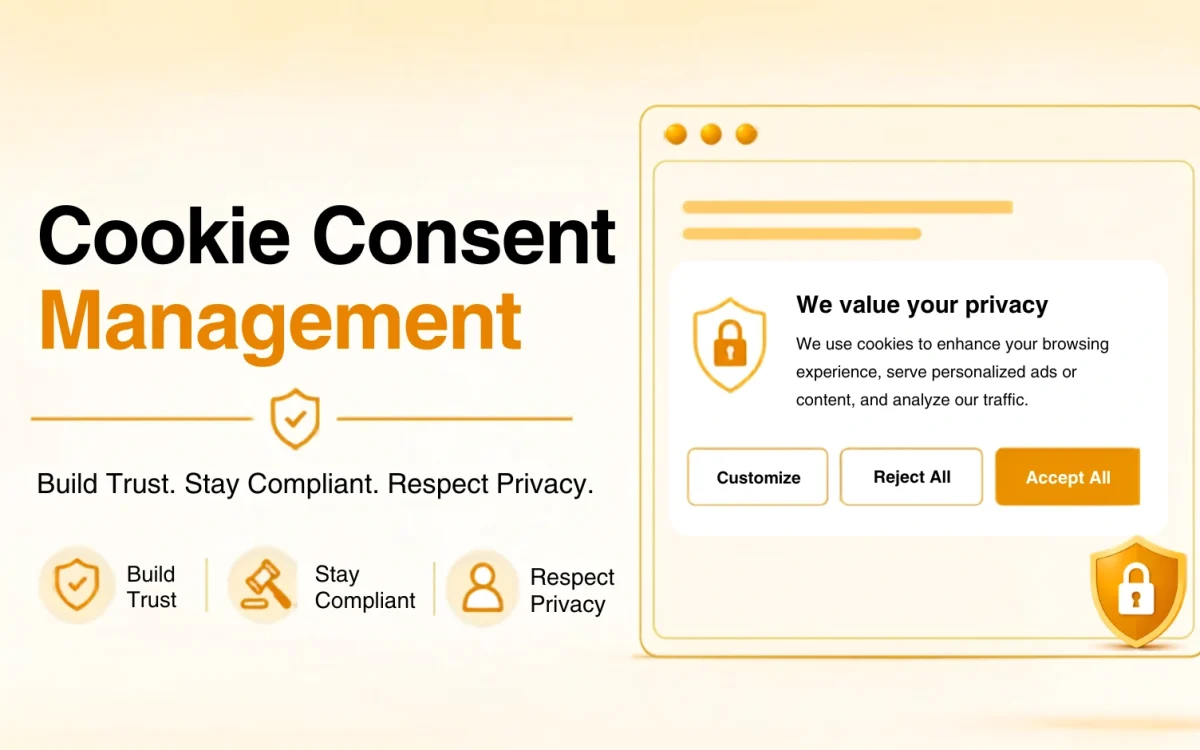
Cookie consent management allows a visitor to choose which non-essential cookies can be used by the website. At the same time, this choice is recorded in order to help companies meet privacy needs. In case if a person goes to a certain website, a cookie consent management system will show a cookie banner. Visitors can accept all cookies, block non-essential cookies or just choose.
These cookies allow websites to perform some functions correctly by saving your login status, products from the cart, as well as preferences related to language and theme. If there were no cookies, there would be many problems in the work of the usual websites’ features. Many webpages use a CMP – Consent Management Platform in order to provide cookie banners.
Why is cookie consent needed?
Cookie notification banners do not come out of the blue skies. Rather, authorities made it obligatory. Below there are four laws responsible for this practice.
- GDPR (General Data Protection Regulation) is a privacy law established in the EU which enhances people’s control over their personal data collection, storage, and processing.
- CCPA/CPRA, The California Consumer Privacy Act (CCPA), and the California Privacy Rights Act (CPRA) – both privacy laws which enhance the residents’ control over their personal data.
- The ePrivacy Directive “cookie law” regulates cookies and tracking technology and electronic communications.
More and more countries start adopting the similar laws.
Different types of cookies
Strictly Necessary (Essential) – this kind of cookies is essential for the website operation. They help you with such important aspects as the shopping cart function. Without consent needed.
Functionality- helps remember users’ settings for a more personalized experience. Without consent needed.
Performance/Analytics – collects user’s interaction with the web-page through tracking the movements of a visitor across the website using, for instance, Google Analytics.
Advertising/Marketing. These kinds of cookies are used to track users across different webpages in order to serve more personalized content and ads.
How Does Cookie Consent Actually Work?
The part that involves designing the popup, surprisingly, takes only a fraction of the total amount of labor, about a tenth. The rest is done behind-the-scenes:
- Audit the website’s cookies- Conduct a website audit to identify all types of cookies and other tracking technologies being used, even those that have been installed via plugins, analytics tools, ads and third party integrations.
- Categorize the cookies- divide them into groups by purpose (functional/analytical/tracking), so that the user can choose what kind of consents they want to give.
Build the banner, making sure that it makes sense to the common man and not an IT-specialist.
- Remember what the user said- Don’t force them to give their consent for the thousandth time, since they’ve already made up their mind.
- Enforce the consent- And here comes the tricky part that a lot of sites don’t like to do. Rejection of marketing cookies should mean their refusal to work, not hiding a toggle somewhere in exchange for uninterrupted monitoring.
Since there are so many parts to be considered, sites tend to go for the more complex solution of using the consent management platform. Such CMP does the job automatically.
How Is Good Banner Distinguishable from Bad?
If a banner does a good job at interacting with the users, then:
It gives the users a real Reject option in addition to the single “Accept All” button
Visitor should be able to edit his settings regarding cookies anytime he wants.
It leaves all unnecessary items unchecked by default
The red flag is if “Accept” option is large and flashy while the “Reject” one is small and gray or even several buttons away from user.
What Happens When the Banner Comes Up?
Instead of thinking in steps we need to consider one uninterrupted process here. Website (or its CMP) performs self-checking and makes a list of all currently active scripts and cookies. Those are categorized.
Banner appears with the detailed information.
It offers the user three options: choosing everything, nothing or some middle ground. Everything else is being turned off automatically.
All of that happens in mere seconds because most people don’t take a decision on what to do with the banner at all.
Why Bother Getting This Right
Setting aside the legal requirement, there’s a real business argument here too:
- People notice, even if only subconsciously, when a site respects their choices, and that builds trust over time.
- Fewer headaches down the line, fewer fines, fewer complaints, fewer scrambling emails after a regulator flags something.
- Data from someone who genuinely opted in is usually far more useful than data scraped from someone who just gave up trying to find the “no” button.
- Visitors stick around longer on sites that don’t feel like they’re trying to trick them.
Benefits of cookie consent
| Benefits | Description |
| Compliance with Privacy Laws | Assists in meeting cookie consent law requirements, including GDPR, CCPA, LGPD, e-Privacy, and others, through proper collection of user consent. |
| Control over Cookies | Prevents any tracking cookies and scripts from being loaded unless visitors provide their cookie preferences. |
| Enhanced User Trust | Provides transparency on how users’ personal information is handled. |
| Logging of Consents | Keeps cookie consent logs safe with time-stamps. |
| Better User Experience | Enables visitors to either accept, reject, or customize cookie settings using cookie consent banners. |
| Compliance around the World | Shows different cookie banners depending on the region of the world and its privacy regulations. |
| Protection of Brand Name | Provides cookie and data management practices responsibly. |
| More Reliable Analytics | Helps collect consents for analytics cookies, thus increasing data reliability. |
| Automated Cookies Management | A Cookie Consent Management Platform (CMP) is an automated solution that scans, categorizes, and manages cookie preferences. |
Common Mistakes to Avoid
| Mistake | Solution |
| Displaying Only the “Accept” Button | Add the Accept, Reject and Customize Preference buttons in accordance with the GDPR and other data protection laws. |
| Lack of Cookie Inventory Update | Conduct periodic cookie scans to identify new cookies in order to ensure that your cookie policy is up-to-date. |
| Disregarding Mobile Application Consent | Implement cookie and consent management for both websites and mobile applications. |
| Lack of Consent Logs | Capture all consents in a safe place with timestamp and user preferences included. |
Protect user privacy, ensure compliance, and build customer trust with smarter cookie consent management. Simplify consent collection, meet global privacy regulations, and give your visitors complete control over their data starting today.
Frequently Asked Questions
A Consent Management Platform is a tool that helps websites collect, store, and manage user consent for cookies and tracking technologies.
Because for years nobody bothered asking permission for any of this, and it eventually got out of hand. Laws like GDPR and CCPA basically said enough is enough to tell people what’s happening. Now you get the popup, whether you like it or not.
Everything the site has configured ads, trackers, analytics switches on. Hitting “Reject” should mean none of that fires, leaving only the bare essentials, like staying logged in.
If it uses anything beyond strictly necessary cookies, yes. And the geography angle trips people up more than they expect. Even a business with zero physical presence in the EU can fall under GDPR the moment EU visitors show up on the site.
Necessary cookies just keep the basics running and don’t need consent. Everything else functional, analytics, marketing needs an explicit yes before it’s allowed to load. That’s basically the entire reason the banner exists in the first place.
